Invoice dashboard
See what you are owed, and who to contact next
The dashboard is built from the invoices and payments you already record. There is nothing to set up and no spreadsheet to keep.
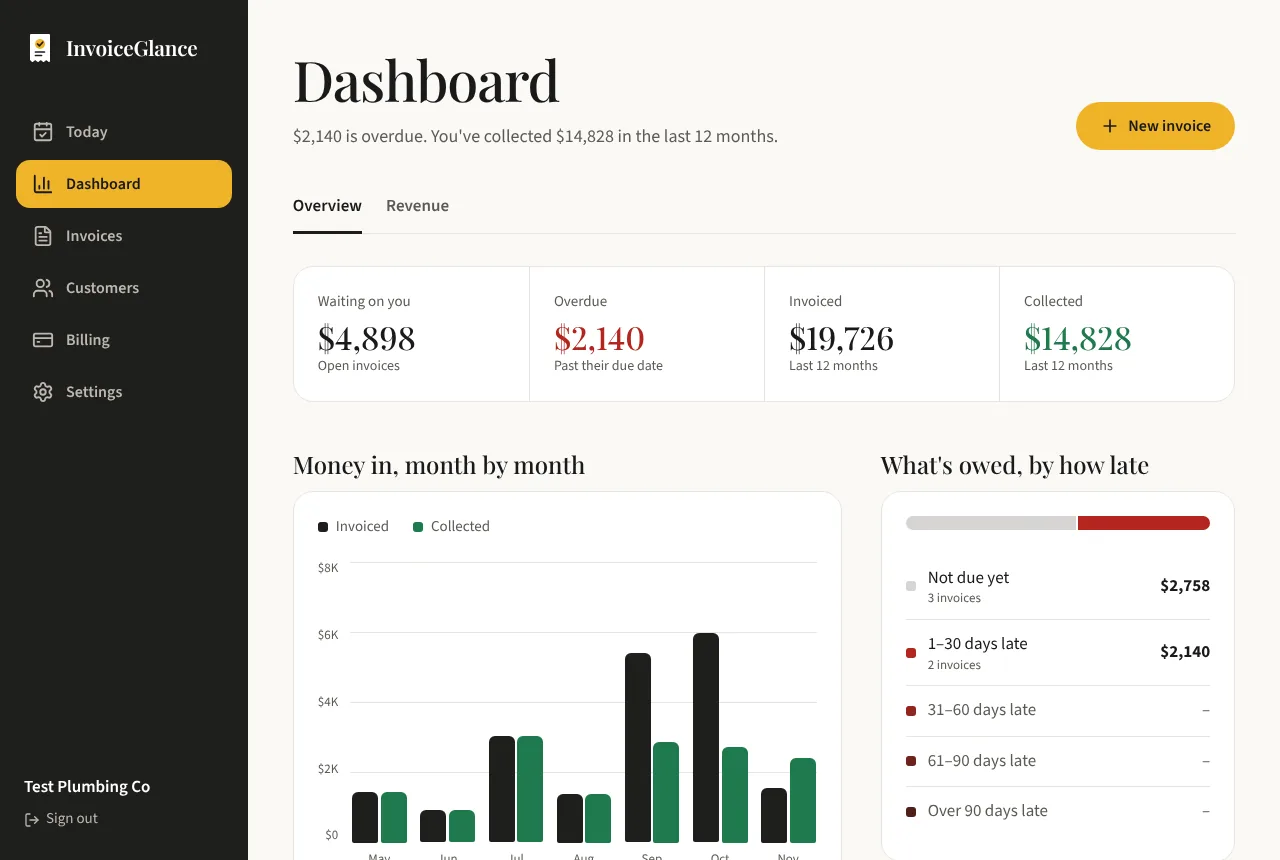
A month-end check in two minutes
Priya is a bookkeeper with a dozen clients. At month end she opens the dashboard: $9,600 invoiced, $7,200 collected, and $2,400 still waiting on her. The by-how-late chart splits that into $1,400 not yet due, $600 one to 30 days late and $400 31 to 60 days late.
Two customers make up the late balance, so she opens each one and sends a reminder. Next month the same chart shows whether it worked. She never entered a figure into the dashboard: it is worked out from the invoices and payments she already recorded.
Five answers on one screen
Money in, month by month
Compare what you invoiced with what you collected, month by month, over the last year.
What is owed, by how late
See unpaid balances grouped as not due yet, 1 to 30 days late, 31 to 60, and older.
Top customers
See which customers bring in the most, so you know who matters most to your business.
How fast people pay
See how long customers take to pay you, on average.
How it stays up to date
Record as you go
Send invoices and record payments the way you normally would.
Open the dashboard
Totals, charts and balances are worked out from your records every time you look.
Act on it
Customers shows who is late, and one click sends the reminder.
Questions, answered plainly
Do I need to set anything up?
No. The dashboard is calculated from your invoices and payments, so it fills in as you use InvoiceGlance.
Is the dashboard included in the Free plan?
Yes. Free and Pro have the same features. Pro only removes the monthly limits on invoices and emails and the limit on customers.
Does it work on a phone?
Yes. The dashboard and the rest of the app work on phones and on desktop.
More from InvoiceGlance
Get your first invoice out today.
Set up your business, add a customer, and send an invoice. You decide every step.
Create your account