Invoice reminders
Chase late invoices without the awkward part
InvoiceGlance shows you who is late and has the reminder ready. You read it, press Send, and the email goes out with your business name on it.
A reminder, from start to finish
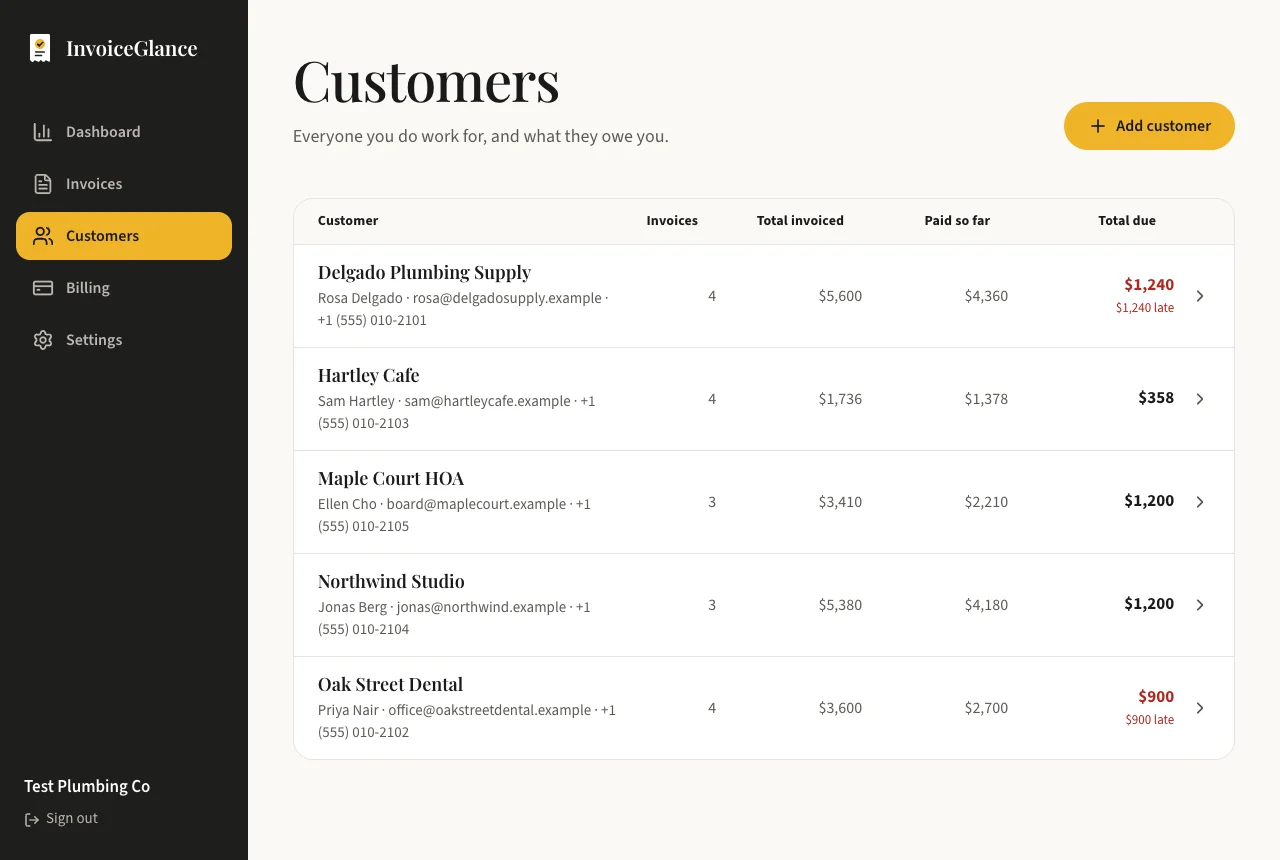
Dana designs websites. She invoiced Harbor Cafe $1,800 on 14-day terms, and now the invoice is eight days late. She opens the Customers page, sees Harbor Cafe marked as late, and opens the customer. The reminder is already written, with the invoice number, the amount owed and a link to the invoice page.
She changes one sentence so it sounds like her, reads it through, and presses Send. The email goes out with her business name as the sender. Harbor Cafe replies to her own inbox, she records the payment when it lands, and the reminder stays in the history for next time.
Reminders that sound like you
One click, never automatic
A reminder is sent when you press the button. Nothing is scheduled and nothing goes out behind your back.
Your name, your inbox
Emails are sent from invoices@invoiceglance.com with your business name as the sender. Your customer's reply goes straight to your own email address.
A link, not an attachment
Each email links to a clean invoice page that opens on any phone. Your customer never has to sign in.
A record of everything
Every reminder is saved, so you always know what a customer received and when.
How a reminder works
See who is late
The Customers page shows what each customer still owes and how much of it is late.
Open the customer and send the reminder
A message opens with the words already written. Change the subject or the message if you like.
Send and carry on
It goes out, it is saved to the history, and any reply lands in your own inbox.
Questions, answered plainly
Does InvoiceGlance send reminders automatically?
No. Every invoice, reminder, thank-you and check-in is sent by you pressing a button. There are no schedules and no automatic follow-ups.
Who do the reminder emails come from?
They are sent from invoices@invoiceglance.com with your business name as the sender. Replies go to the email address saved on your business.
How many reminders can I send?
The Free plan includes 5 emails a month. Pro, at $8 a month, has no monthly limit on emails.
What if my customer has no email address?
InvoiceGlance only emails the addresses saved on the customer. If there is none, the button asks you to add one first.
More from InvoiceGlance
Get your first invoice out today.
Set up your business, add a customer, and send an invoice. You decide every step.
Create your account